Ties through repeat endings: tie a note into each 1st and 2nd ending
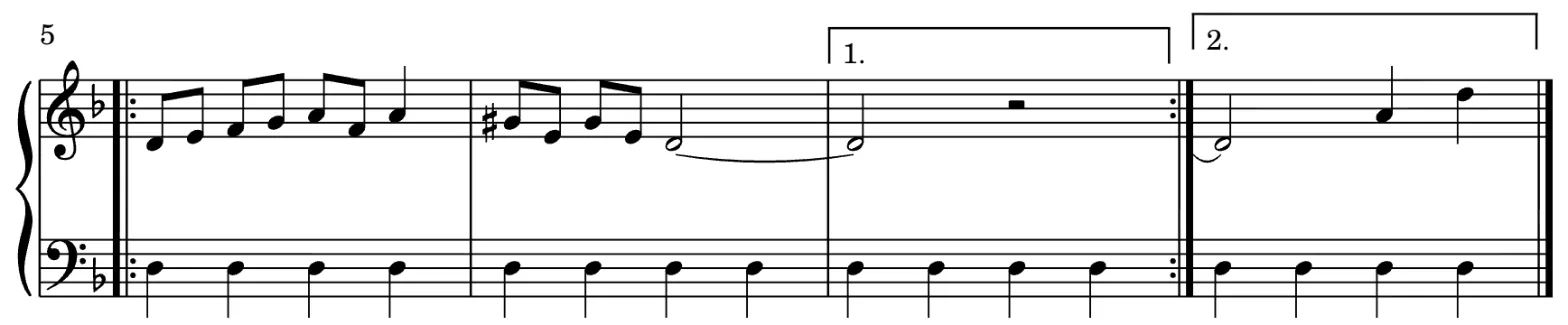
A note held at the end of a repeated passage can now be tied into each repeat ending, the way it is printed in most scores.
- Tie into every ending. Select the last note before the endings and press
,(or the Tie button): Flat adds a tie into each ending that continues the note, and playback holds it on every pass. - Select a tie on its own. Click or tap a tie to select it, then delete it or flip its direction without touching the notes.
- Kept in MusicXML. Ties into endings come through MusicXML import and export.