Hear your score in a concert hall, and seat every instrument on the stage (beta)
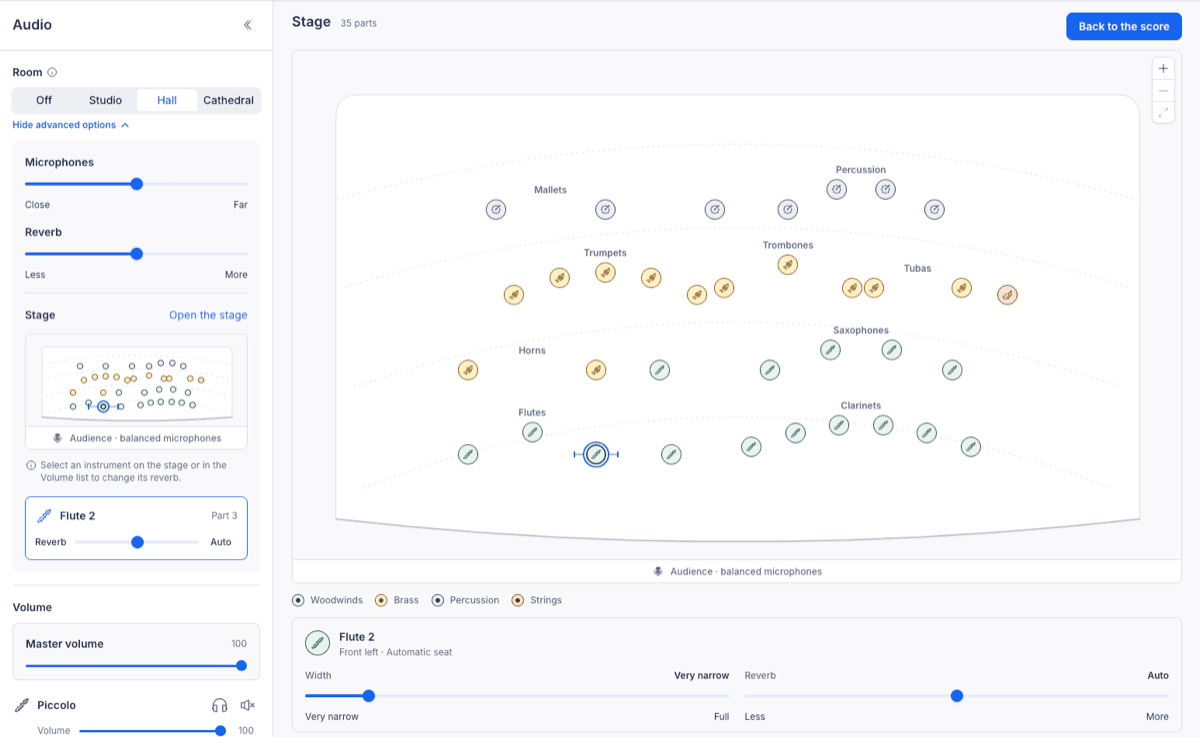
Instead of setting reverb on each instrument, pick one room for the whole score and hear every part play together in the same space. Rooms and the stage are in beta in the editor on the web for Flat Power subscribers, and are coming soon to the desktop apps.
- Pick a room. A studio, a concert hall or a cathedral, from the Audio panel. The room is saved with the score, so everyone who opens it hears the same space.
- Set the microphones and the reverb. Move the listening position from close to far, and choose how much of the room you hear.
- Arrange the stage. Flat seats each instrument the way the ensemble usually sits: strings in front, then woodwinds, brass and percussion. Drag a seat to move it, and set its width and reverb from the card under the map.
Join the beta from the help centre.