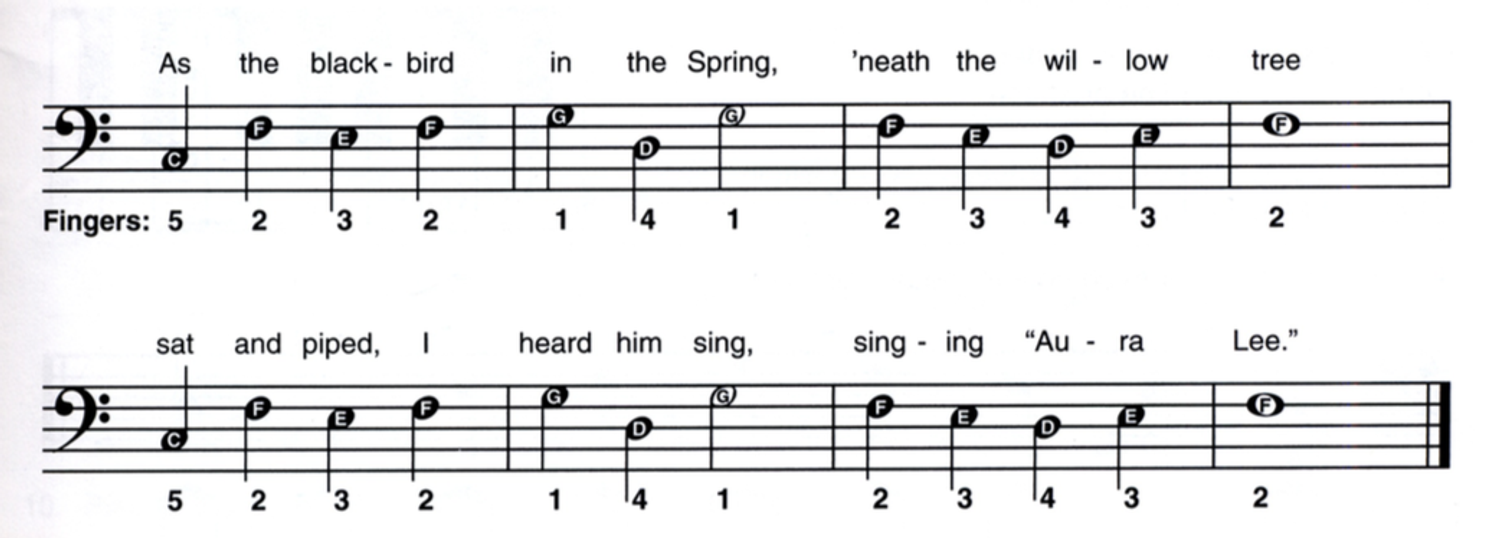
Aura Lee with a Twist
Compose an original melody for the second half of Aura Lee while maintaining consistent note durations.
Ambassador activity
Bring paper compositions to life by exploring unpitched percussion and digital notation.
 By Jennifer Jenkins
30-day free trial.No obligations. Cancel anytime.

From Flat for Education team
Students bridge the gap between handwritten notation and digital playback. By transferring their rhythms from paper to software, they learn how to input notes, change tempos, and apply dynamics. Students love the creative autonomy of selecting their own unpitched percussion instruments and hearing their written stories instantly come to life with real audio playback.
Unlock this activity
Start your free trial to see the full instructions and use this activity with your class.

Students build on your notes without changing them.

Show the notation tools each class needs

Add comments as students compose

Play back with realistic instruments
Jennifer Jenkins
25+ years teaching choral & general music - and a soprano still getting over her fear of karaoke.
Compose an original melody for the second half of Aura Lee while maintaining consistent note durations.

Identify and study the C, G7, and F chords used in the classic song When the Saints Go Marching In.
Write a 12-measure keyboard song in C Major with original lyrics, treble melody, and bass clef primary chords.